SSD vs HDD: Which Storage Drive Should You Choose?
When it comes to storage, the choice between a Solid State Drive (SSD) and a Hard Disk Drive (HDD) is one of the most important decisions you'll make for your computer. This guide breaks down the differences to help you choose the right drive for your needs and budget.
SSD vs HDD – The Ultimate Showdown
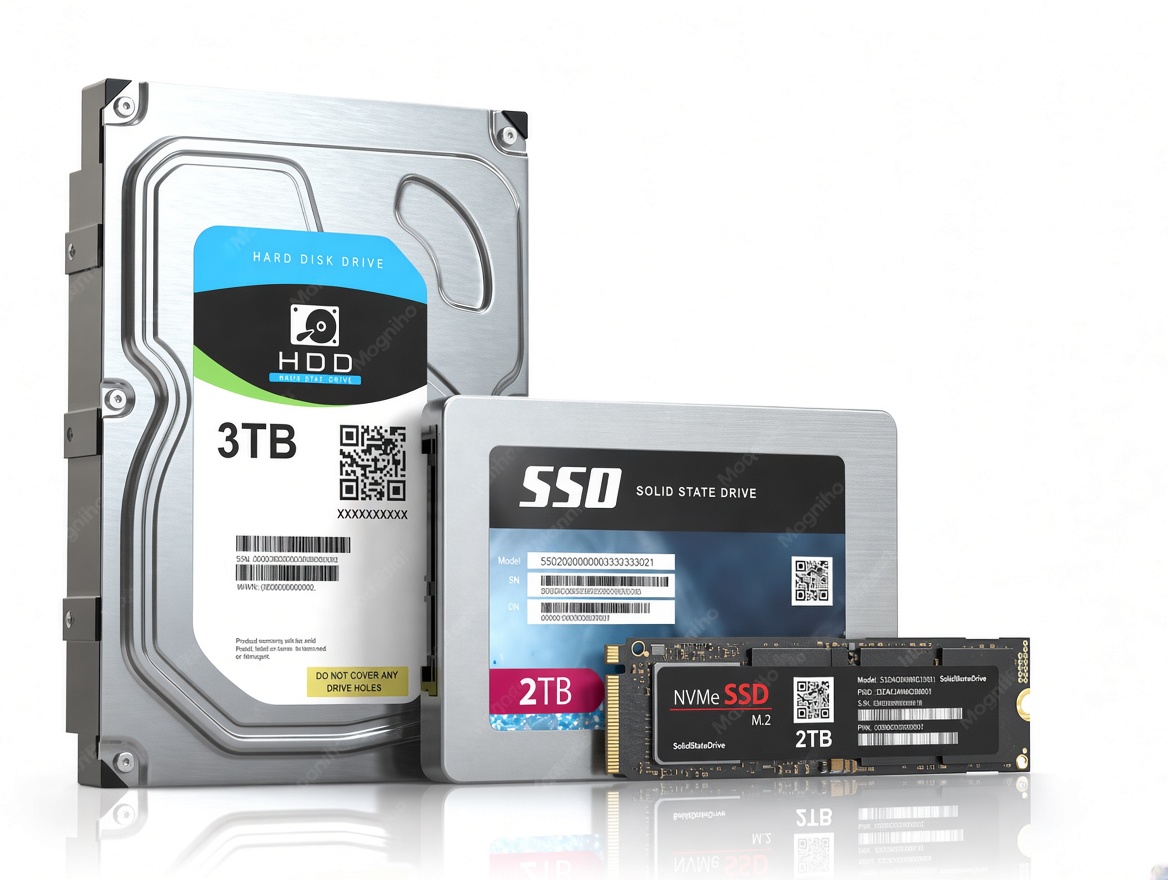
An SSD (Solid State Drive) uses flash memory and has no moving parts, making it extremely fast, quiet, and durable. An HDD (Hard Disk Drive) uses spinning magnetic disks and mechanical parts, making it slower and more fragile, but much cheaper for very large storage capacities.
SSD (Solid State Drive)
An SSD is a storage device that uses flash memory to store data, with no moving parts. It's the modern standard for speed and reliability. SSD is your best choice for the operating system and applications. For heavy users, NVMe SSDs offer the fastest speeds (up to 7,000 MB/s), ideal for gaming, video editing, and high-performance computing.
HDD (Hard Disk Drive)
An HDD is a traditional storage device that uses spinning magnetic platters to read and write data. It's been the standard for decades and remains popular for bulk storage. Cheaper, offers huge capacities, but slower and more fragile.
Which One to Choose?
Choose an SSD (Solid State Drive) for your operating system, apps, and daily use because it is much faster. Choose an HDD (Hard Disk Drive) for cheap, massive storage like large media files or full backups. SSDs use flash chips , while HDDs use spinning disks.